
Google has used a set of metrics called Core Web Vitals to assess the real experience visitors have on your site since 2021. These metrics factor into your page rankings. A poor score can push your positions down without your having changed a single line of code.
Here is what each one measures in business terms, and what concretely causes each metric to degrade.
LCP: how long before your main content appears
LCP (Largest Contentful Paint) measures how long it takes for the most visible element on your page to appear: your main image or your product heading, typically. Google's threshold for a good score is under 2.5 seconds. Past 4 seconds, you are losing a meaningful share of visitors before they have even seen your offer.
Most small-business and e-commerce sites I have audited with VitaPulse had an LCP above 4 seconds. That is a real problem, and often fixable within a few days: an unoptimised image, a script loading too early, a server that takes too long to respond.
The most common causes in practice: an uncompressed hero image, a third-party script loaded with high priority when it is not critical (live chat widget, tracking pixel), or a shared-hosting server whose Time to First Byte sits above 600 ms. The fixes are identifiable: switch to WebP, defer non-critical scripts, add a CDN. But without regular measurement, you do not know which one to look for first.
CLS: elements that shift at the wrong moment
CLS (Cumulative Layout Shift) measures visual instability during page load. Do your elements move while the page is building? A banner that slides in late, a button that shifts just as the user is about to click it. This causes mis-clicks, frustration, and erodes trust. Google penalises it.
The usual suspects: images or videos with no explicit dimensions in the HTML (the browser cannot reserve space before fetching them), a web font loaded without the font-display: swap property that shifts blocks of text when it kicks in, or a dynamically injected ad that pushes all the content below it. The fix is often a few lines of CSS or a single HTML attribute. But you first have to know the problem is there.
INP: responsiveness at every click, not just the first
INP (Interaction to Next Paint) measures how quickly your site responds to each user interaction: clicking a button, opening a menu, adding an item to a cart. Since March 2024, INP replaced FID (First Input Delay) as an official Core Web Vital. It is a stricter measure: it tracks every interaction on the page, not just the first. For e-commerce, this matters most at checkout.
A poor INP usually comes from a heavy JavaScript bundle monopolising the main thread: every click has to wait for the browser to finish what it is currently processing. You see this on sites that have accumulated plugins over the years without ever removing any. Each addition costs a few milliseconds, and at some point interactions start to feel noticeably slow.
Lab scores and field data: two complementary views
Lighthouse, the engine behind VitaPulse and PageSpeed Insights, simulates a user on a throttled 4G connection with a mid-range CPU. It is a controlled environment: reproducible, useful for comparing two versions or catching regressions. But it is not your actual traffic.
Field data, collected by Google from real Chrome users through a programme called CrUX, can tell a different story. A site that scores well in the lab may have a degraded LCP for its real mobile users if part of its audience arrives on a 3G network or an entry-level phone. Google Search Console surfaces this field data for sites with enough Chrome traffic: it is the first thing I check when I suspect a real performance issue rather than a simulation artefact.
The two readings are complementary: Lighthouse for diagnosis, CrUX for deciding whether it is urgent.
Why a good score can quietly become a bad one
These metrics are not static. A deployment, a new plugin, an image added in the wrong format, and your LCP moves from 2.2 to 4.8 seconds with no warning. This is exactly the kind of regression VitaPulse monitors automatically, comparing each scan against your baseline.
I had a recent example of this: a site had been losing organic positions for weeks with no obvious cause: no content changes, no visible crawl issues. The VitaPulse audit showed the LCP had regressed three months earlier, at the precise point where a banner image had been swapped out without re-compression. Google had recorded the degradation long before anyone noticed. The SEO problem was a performance problem in disguise.
An honest word on the perfect score
I tell clients directly: chasing 100/100 across the board is not the goal. What matters is staying below the thresholds: LCP under 2.5 seconds, CLS under 0.1, INP under 200 milliseconds. A site that clears these thresholds with a modest overall score does more for real users than one with a higher score that nudges slightly above the LCP threshold.
Optimising beyond the thresholds can lead to counterproductive decisions: removing a readable font to gain a few points, stripping a useful widget, reducing image quality. The goal is to monitor so you do not regress. Polishing a score that is already in the green is rarely the right use of time.
A poor Core Web Vitals score has two direct consequences. First, a drop in Google rankings: subtle, hard to attribute, but real. Second, a degraded user experience that shows up as a higher bounce rate and fewer conversions. The two reinforce each other.
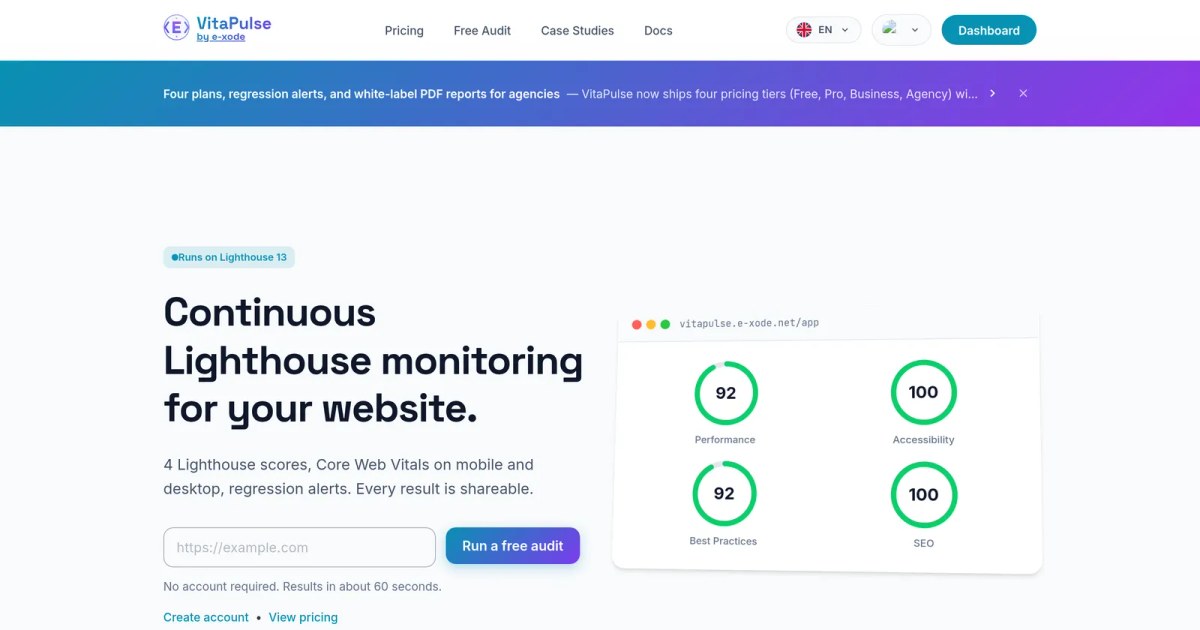
VitaPulse tracks the four Lighthouse scores (Performance, Accessibility, Best Practices, SEO) and all six Core Web Vitals (LCP, CLS, INP, FCP, Speed Index, TBT) against your real URLs. The free plan gives access to automatic monthly scans.
If you have never audited your site on these metrics, this is the right place to start: vitapulse.e-xode.net
Comments (0)